Your Ultimate Cheat Sheet: Junior Flutter Developer Interview Questions

Shohruh AK
Flutter Engineer | Content Creator
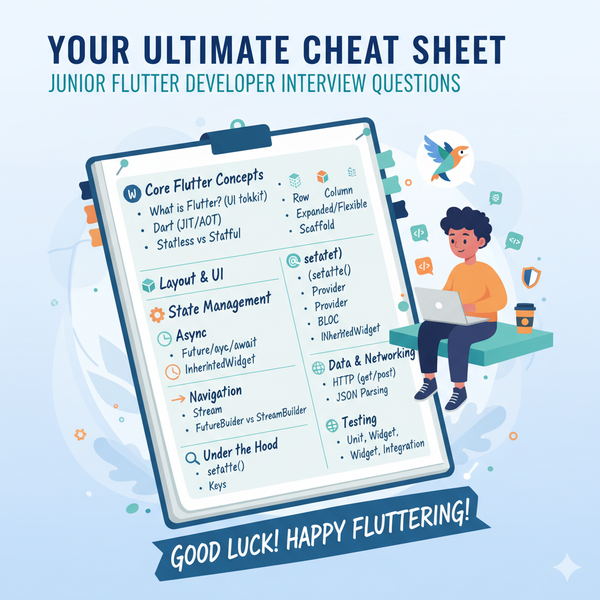
Landing your first Junior Flutter Developer role can be exciting but also a little daunting. Technical interviews can feel like a gauntlet, but with the right preparation, you can confidently showcase your skills. This article is designed to be your go-to cheat sheet, covering the most common and important technical questions you're likely to encounter.
Let's dive in!
Section 1: Core Flutter Concepts (The Fundamentals)
These questions test your basic understanding of Flutter's architecture and how it works.
- What is Flutter?
- Expected Answer: Flutter is an open-source UI software development kit created by Google. It's used for building natively compiled applications for mobile, web, and desktop from a single codebase.
- What is Dart, and why does Flutter use it?
- Expected Answer: Dart is an object-oriented, class-based, garbage-collected programming language developed by Google. Flutter uses Dart because it's optimized for UI, has a JIT (Just In Time) compiler for fast development, and an AOT (Ahead Of Time) compiler for native performance.
- Explain the concept of "Widgets" in Flutter.
- Expected Answer: Everything in Flutter is a widget! Widgets are the fundamental building blocks of the UI. They describe how your app's view should look like given its current configuration and state. They are immutable.
- Differentiate between
StatelessWidgetandStatefulWidget.- Expected Answer:
StatelessWidget: Does not have any mutable state. Its properties are immutable. It's suitable for UI that doesn't change after it's drawn, like anIconorText.StatefulWidget: Has mutable state. Its state can change over time, and the widget can be rebuilt to reflect those changes. Examples includeCheckboxorSlider.
- Expected Answer:
- What is the
build()method in Flutter?- Expected Answer: The
build()method describes the part of the user interface represented by the widget. Flutter calls this method whenever it needs to draw or redraw the widget, typically after asetState()call in aStatefulWidgetor when the widget is first inserted into the widget tree.
- Expected Answer: The
- Explain the Widget Tree and Element Tree.
- Expected Answer:
- Widget Tree: A tree structure representing the UI layout, composed of nested widgets. This is what you write in your code.
- Element Tree: An internal tree that Flutter uses to manage the widgets. It's a mutable representation that Flutter uses to compare and efficiently update the UI. Each widget has a corresponding element.
- Expected Answer:
- What is Hot Reload and Hot Restart? How do they differ?
- Expected Answer:
- Hot Reload: Injects updated source code into the running Dart VM, rebuilding the widget tree without losing the app's current state. It's very fast for UI changes.
- Hot Restart: Restarts the entire application from scratch, losing all application state. It's used for changes that affect the application's overall structure or when Hot Reload fails.
- Expected Answer:
Section 2: Layout & UI (Making Things Look Good)
These questions focus on how you structure and style your Flutter UIs.
- How do you handle layout in Flutter? (e.g., rows, columns, stacking)
- Expected Answer: Flutter uses widgets like
Row,Column, andStackfor layout.Row: Arranges children horizontally.Column: Arranges children vertically.Stack: Overlays children on top of each other, useful for relative positioning.
- Bonus: Mention
Expanded,Flexible,Padding,Align,Container.
- Expected Answer: Flutter uses widgets like
- What are
ExpandedandFlexiblewidgets used for?- Expected Answer: Both are used within
RowandColumnto control how their children fill the available space.Expanded: Forces its child to fill all available space along the main axis.Flexible: Allows its child to occupy a certain portion of the available space, but it doesn't force it to fill it entirely (fitproperty can belooseortight).
- Expected Answer: Both are used within
- How do you add padding and margins to widgets?
- Expected Answer:
- Padding: Can be applied using the
Paddingwidget directly, or often through thepaddingproperty ofContainer. - Margins: Usually applied using the
marginproperty of aContainerwidget.
- Padding: Can be applied using the
- Expected Answer:
- Explain the purpose of
Scaffoldwidget.- Expected Answer:
Scaffoldprovides a basic material design visual structure for the app. It includes properties forAppBar,body,floatingActionButton,drawer,bottomNavigationBar, etc. It helps in structuring a typical mobile app screen.
- Expected Answer:
Section 3: State Management (Keeping Track of Changes)
State management is crucial in any application. For junior roles, a basic understanding of common approaches is key.
- What is state management in Flutter, and why is it important?
- Expected Answer: State management refers to the way you manage and control the data that determines the current condition or behavior of your application. It's important for keeping the UI updated efficiently, separating concerns, and making the codebase maintainable, especially as the app grows.
- Describe how you would manage state in a simple
StatefulWidget.- Expected Answer: In a
StatefulWidget, state is managed within itsStateobject. Changes are triggered by callingsetState(), which tells Flutter to re-run the widget'sbuild()method to reflect the new state.
- Expected Answer: In a
- Can you name a few common state management approaches in Flutter?
- Expected Answer:
setState()(for local widget state)- Provider
- BLoC/Cubit
- GetX
- Riverpod
- InheritedWidget (and
InheritedNotifier) (For a junior role, knowing a few and briefly explaining one is good.)
- Expected Answer:
- What is an
InheritedWidget? How is it used for state management?- Expected Answer:
InheritedWidgetis a special type of widget that allows data to be efficiently propagated down the widget tree. Any child widget can access the data provided by anInheritedWidgetwithout passing it through constructor parameters explicitly. It's often used as a base for more advanced state management solutions like Provider.
- Expected Answer:
Section 4: Asynchronous Programming (Dealing with Delays)
Apps often need to fetch data or perform long-running operations. This section covers how Flutter handles that.
- Explain
Futureandasync/awaitin Dart.- Expected Answer:
Future: Represents a potential value or error that will be available at some time in the future. It's used for asynchronous operations.async: A keyword used to mark a function as asynchronous, meaning it can perform operations that might take time without blocking the main thread. Anasyncfunction always returns aFuture.await: A keyword used inside anasyncfunction to pause its execution until theFutureit's waiting on completes (either with a value or an error).
- Expected Answer:
- What is a
Streamin Dart?- Expected Answer: A
Streamis a sequence of asynchronous events. Unlike aFuturewhich delivers a single result, aStreamcan deliver zero or more events over time. It's used for continuous data flows, like user input events or real-time data from a server.
- Expected Answer: A
- When would you use
FutureBuildervs.StreamBuilder?- Expected Answer:
FutureBuilder: Used when you need to build UI based on a single asynchronous operation that will complete in the future (e.g., fetching data once from an API).StreamBuilder: Used when you need to rebuild UI continuously based on a stream of asynchronous events (e.g., real-time updates from a database, listening to user input changes).
- Expected Answer:
Section 5: Navigation & Routing (Moving Between Screens)
How do users move through your app?
- How do you navigate between screens in Flutter?
- Expected Answer: Flutter uses the
Navigatorwidget. You typically useNavigator.push()to push a new route onto the stack andNavigator.pop()to remove the current route from the stack.
- Expected Answer: Flutter uses the
- What is a
Routein Flutter?- Expected Answer: A
Routeis an abstraction for a screen or page in your app.MaterialPageRouteis a common implementation that provides platform-specific transitions.
- Expected Answer: A
- Explain named routes. When would you use them?
- Expected Answer: Named routes allow you to refer to screens by a string name (e.g.,
/home,/details). You define them inMaterialAppand navigate usingNavigator.pushNamed(). They are useful for larger applications to make navigation more organized and readable, and for deep linking.
- Expected Answer: Named routes allow you to refer to screens by a string name (e.g.,
Section 6: Data Handling & Networking (Talking to the Outside World)
Your app often needs to interact with external data sources.
- How would you make an HTTP request in Flutter?
- Expected Answer: You would typically use the
httppackage (ordiofor more advanced features). You make an asynchronous request (e.g.,http.get(),http.post()) and then parse the JSON response.
- Expected Answer: You would typically use the
- How do you parse JSON data in Flutter?
- Expected Answer: After receiving an HTTP response, you use
dart:convert'sjsonDecode()function to convert the JSON string into a DartMaporList. Then you can map this data to custom Dart objects. - Bonus: Mention
json_serializablefor code generation in larger projects.
- Expected Answer: After receiving an HTTP response, you use
Section 7: Widgets & Rendering (Under the Hood)
Some deeper questions about how Flutter renders.
- What is
setState()and when should you use it?- Expected Answer:
setState()is a method in aStatefulWidget'sStateclass that notifies the Flutter framework that the internal state of this object has changed. This causes the framework to schedule a rebuild of thisStateobject, meaning itsbuild()method will be called again to reflect the new state in the UI. You use it whenever you need to update the UI based on internal state changes.
- Expected Answer:
- Explain the
keyparameter in widgets.- Expected Answer: Keys are used to preserve the state of a widget (and its children) when the widget is re-ordered or removed from the widget tree. They provide a way for Flutter to uniquely identify widgets and their associated elements, allowing for more efficient updates. Types include
ValueKey,ObjectKey,GlobalKey. - Example: When reordering a list of
StatefulWidgets, using akeyhelps Flutter know which widget corresponds to which item, preventing state loss.
- Expected Answer: Keys are used to preserve the state of a widget (and its children) when the widget is re-ordered or removed from the widget tree. They provide a way for Flutter to uniquely identify widgets and their associated elements, allowing for more efficient updates. Types include
Section 8: Testing (Ensuring Quality)
A junior role might not require deep testing knowledge, but awareness is good.
- What types of tests are there in Flutter?
- Expected Answer:
- Unit Tests: Test a single function, method, or class.
- Widget Tests: Test a single widget or a small widget subtree, ensuring its UI looks and interacts as expected.
- Integration Tests: Test the entire application or a large part of it, running on a real device or emulator.
- Expected Answer:
- How do you perform a widget test?
- Expected Answer: You use
testWidgets()function and aWidgetTesterto inflate and interact with widgets in a test environment. You can pump widgets, tap on them, enter text, and then useexpect()to verify certain conditions (e.g.,find.text('Hello World')).
- Expected Answer: You use
Section 9: General Programming & Best Practices
Beyond Flutter specifics, general software engineering practices are important.
- What are some best practices for writing clean and maintainable Flutter code?
- Expected Answer:
- Break down large widgets into smaller, reusable ones.
- Separate concerns (e.g., UI logic from business logic).
- Use consistent naming conventions.
- Add comments where necessary.
- Utilize
constwidgets where possible for performance. - Follow Dart's effective best practices.
- Choose an appropriate state management solution.
- Expected Answer:
- How do you handle errors in Flutter/Dart?
- Expected Answer: Using
try-catchblocks for synchronous errors, and.catchError()ortry-catchwithawaitfor asynchronous errors (Futures).
- Expected Answer: Using
Good Luck!
Remember, an interview is also a chance for you to learn about the company and the role. Don't be afraid to ask questions! Practice explaining these concepts out loud, and ideally, have some small Flutter projects in your portfolio to showcase your practical skills.
Happy Fluttering!