Build a Telegram Text-to-Speech Bot in Python

Shohruh AK
Flutter Engineer | Content Creator
Build a Telegram Text-to-Speech Bot in Python
Introduction
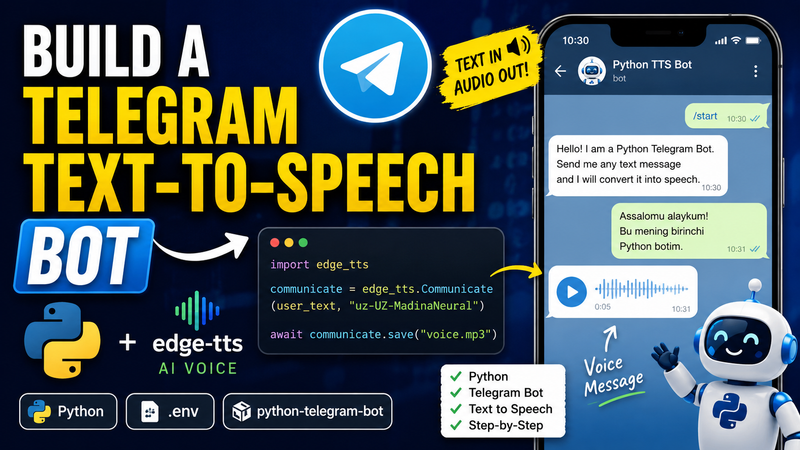
In this tutorial, we'll build a Telegram Text-to-Speech Bot completely from scratch.
Instead of dumping the entire source code at the beginning, we'll build the bot piece by piece so you understand exactly what every line does.
By the end of this tutorial, your bot will:
- Receive text messages
- Convert text into speech
- Send voice messages back to users
- Handle errors safely
- Clean up temporary files automatically
We'll use:
python-telegram-botedge-ttspython-dotenvvenv
1. Create the Project
Create a new folder:
mkdir python-telegram-tts-bot
cd python-telegram-tts-bot
2. Create a Virtual Environment
python -m venv venv
Activate it.
Windows
venv\Scripts\activate
macOS/Linux
source venv/bin/activate
3. Install Dependencies
pip install python-telegram-bot python-dotenv edge-tts
4. Create Your Telegram Bot
Open Telegram.
Search:
@BotFather
Run:
/newbot
Copy the token BotFather gives you.
5. Create the Environment File
Create a file named:
.env
Add:
BOT_TOKEN=YOUR_BOT_TOKEN
Replace the value with your real token.
6. Create main.py
Create:
touch main.py
Let's start building the bot.
Step 1 — Import Required Packages
Add the following imports:
import os
from dotenv import load_dotenv

from telegram import Update
from telegram.ext import (
    Application,
    CommandHandler,
    MessageHandler,
    ContextTypes,
    filters,
)

import edge_tts
What does this code do?
oslets us access environment variables and files.dotenvloads variables from.env.telegrampackages help us communicate with Telegram.edge_ttsconverts text into speech.
At this point, our bot doesn't do anything yet.
Step 2 — Load Environment Variables
Add:
load_dotenv()

BOT_TOKEN = os.getenv("BOT_TOKEN")
Why?
Instead of hardcoding secrets like this:
BOT_TOKEN = "123456789:ABC..."
we store them in .env.
This is safer and follows professional development practices.
Step 3 — Create the /start Command
Add:
async def start(
    update: Update,
    context: ContextTypes.DEFAULT_TYPE
):
    user_name = update.effective_user.first_name

    await update.message.reply_text(
        f"Hello {user_name}! "
        "Send me any text message and "
        "I will convert it into speech."
    )
What happens here?
When a user sends:
/start
the bot responds with a welcome message.
Example:
Hello John! Send me any text message and I will convert it into speech.
Step 4 — Create the /help Command
Add:
async def help_command(
    update: Update,
    context: ContextTypes.DEFAULT_TYPE
):
    await update.message.reply_text(
        "Commands:\n"
        "/start - Start the bot\n"
        "/help - Show help message\n\n"
        "Send any text message and I will return it as audio."
    )
Why?
Users should always know how to use your bot.
The /help command provides simple instructions.
Step 5 — Create the Error Handler
Add:
async def error_handler(
    update: Update,
    context: ContextTypes.DEFAULT_TYPE
):
    print(f"An error occurred: {context.error}")
Why?
Applications sometimes fail.
Instead of crashing silently, we log errors to the terminal.
This makes debugging much easier.
Step 6 — Create the Text-to-Speech Handler
Now let's build the main feature.
Start with:
async def text_to_speech_handler(
    update: Update,
    context: ContextTypes.DEFAULT_TYPE
):
    user_text = update.message.text

    user_id = update.effective_user.id

    audio_file_name = f"voice_{user_id}.mp3"
What does this do?
We:
- Read the user's message
- Get their Telegram ID
- Generate a unique filename
Example:
voice_123456.mp3
Step 7 — Select a Voice
Inside the same function add:
uzbek_voice = "uz-UZ-MadinaNeural"
Why?
Edge TTS supports many voices.
We're choosing an Uzbek neural voice.
You can later replace it with any supported language.
Step 8 — Show Recording Status
Add:
chat_id = update.effective_chat.id

await context.bot.send_chat_action(
    chat_id=chat_id,
    action="record_voice"
)
What does this do?
Telegram shows:
Bot is recording voice...
This improves user experience because users know the bot is working.
Step 9 — Generate the Audio
Add:
communicate = edge_tts.Communicate(
    user_text,
    uzbek_voice
)

await communicate.save(audio_file_name)
What happens here?
The text:
Hello World
becomes:
voice_123456.mp3
stored temporarily on disk.
Step 10 — Send the Voice Message
Add:
with open(audio_file_name, "rb") as voice_file:
    await update.message.reply_voice(
        voice=voice_file,
        caption="Here is your text converted into speech."
    )
What happens?
The generated MP3 is sent back to the user as a Telegram voice message.
This is the moment where the bot becomes useful.
Step 11 — Add Error Handling
Wrap the TTS code inside:
try:
    ...
except Exception as e:
    await update.message.reply_text(
        "Sorry, something went wrong while generating audio."
    )

    print(f"TTS Error: {e}")
Why?
If voice generation fails, users receive a friendly message instead of nothing.
Step 12 — Delete Temporary Files
Add:
finally:
    if os.path.exists(audio_file_name):
        os.remove(audio_file_name)
Why?
Every generated MP3 is temporary.
Without cleanup:
voice_1.mp3
voice_2.mp3
voice_3.mp3
...
would accumulate forever.
Step 13 — Create the Main Function
Now let's connect everything.
Add:
def main():
    if not BOT_TOKEN:
        raise ValueError(
            "BOT_TOKEN not found. Add it to your .env file."
        )
Why?
We verify the token exists before starting the bot.
Step 14 — Create the Telegram Application
Add:
app = Application.builder().token(
    BOT_TOKEN
).build()
What does this do?
This creates the Telegram bot application.
Think of it as the central object that manages everything.
Step 15 — Register Commands
Add:
app.add_handler(
    CommandHandler("start", start)
)

app.add_handler(
    CommandHandler("help", help_command)
)
Why?
Without handlers, Telegram doesn't know which function should run.
Step 16 — Register Text Messages
Add:
app.add_handler(
    MessageHandler(
        filters.TEXT,
        text_to_speech_handler
    )
)
What happens?
Every text message is sent to our TTS function.
Step 17 — Register Error Handling
Add:
app.add_error_handler(
    error_handler
)
Step 18 — Start the Bot
Finally add:
print("Bot is running...")

app.run_polling()
and:
if __name__ == "__main__":
    main()
Run the Bot
python main.py
You should see:
Bot is running...
Final Source Code
Now that you've learned every piece individually, here's the complete source code you can copy and paste.
import os
from dotenv import load_dotenv
from telegram import Update
from telegram.ext import (
    Application,
    CommandHandler,
    MessageHandler,
    ContextTypes,
    filters,
)
import edge_tts

load_dotenv()

BOT_TOKEN = os.getenv("BOT_TOKEN")


async def start(update: Update, context: ContextTypes.DEFAULT_TYPE):
    user_name = update.effective_user.first_name

    await update.message.reply_text(
        f"Hello {user_name}! I am a Python Telegram Bot. "
        "Send me any text message and I will convert it into speech."
    )


async def help_command(update: Update, context: ContextTypes.DEFAULT_TYPE):
    await update.message.reply_text(
        "Commands:\n"
        "/start - Start the bot\n"
        "/help - Show help message\n\n"
        "Send any text message and I will return it as audio."
    )


async def error_handler(update: Update, context: ContextTypes.DEFAULT_TYPE):
    print(f"An error occurred: {context.error}")


async def text_to_speech_handler(update: Update, context: ContextTypes.DEFAULT_TYPE):
    user_text = update.message.text
    user_id = update.effective_user.id
    chat_id = update.effective_chat.id

    audio_file_name = f"voice_{user_id}.mp3"

    uzbek_voice = "uz-UZ-MadinaNeural"

    await context.bot.send_chat_action(
        chat_id=chat_id,
        action="record_voice"
    )

    try:
        communicate = edge_tts.Communicate(
            user_text,
            uzbek_voice
        )

        await communicate.save(audio_file_name)

        with open(audio_file_name, "rb") as voice_file:
            await update.message.reply_voice(
                voice=voice_file,
                caption="Here is your text converted into speech."
            )

    except Exception as e:
        await update.message.reply_text(
            "Sorry, something went wrong while generating audio."
        )

        print(f"TTS Error: {e}")

    finally:
        if os.path.exists(audio_file_name):
            os.remove(audio_file_name)


def main():
    if not BOT_TOKEN:
        raise ValueError(
            "BOT_TOKEN not found. Add it to your .env file."
        )

    app = Application.builder().token(BOT_TOKEN).build()

    app.add_handler(CommandHandler("start", start))
    app.add_handler(CommandHandler("help", help_command))

    app.add_handler(
        MessageHandler(
            filters.TEXT,
            text_to_speech_handler
        )
    )

    app.add_error_handler(error_handler)

    print("Bot is running...")

    app.run_polling()


if __name__ == "__main__":
    main()
Project Structure
python-telegram-tts-bot/
│
├── venv/
├── .env
└── main.py
Conclusion
You didn't just copy a bot.
You built it step by step and learned:
- Environment variables
- Telegram commands
- Message handlers
- Text-to-speech generation
- Error handling
- Temporary file management
- Async Python
From here, you can extend the bot with:
- Multiple languages
- Voice selection
- User preferences
- Databases
- Docker
- Cloud deployment
Happy coding!